MonDriaNoid Free LWP Clock2.50
Publisher Description
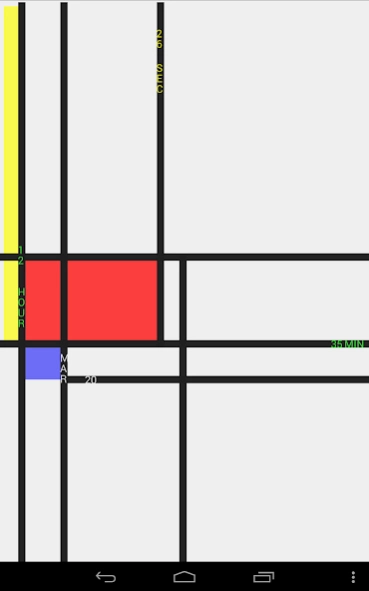
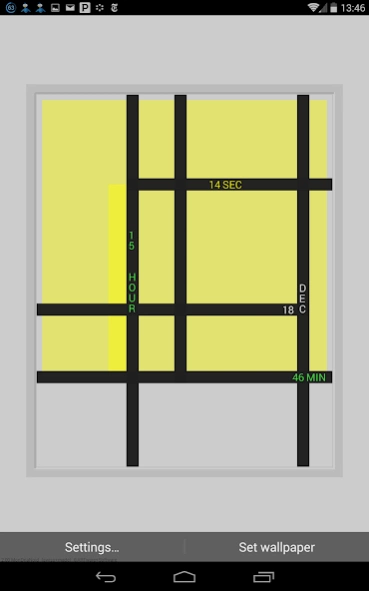
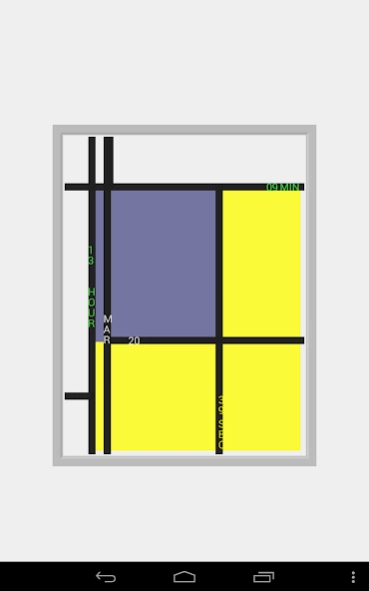
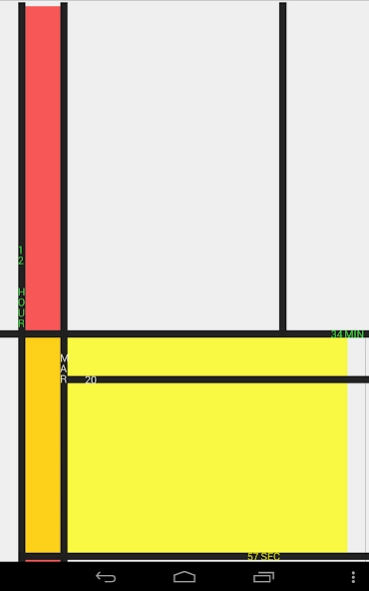
MonDriaNoid Clock simulating the abstract art of Dutch artist Piet Mondrian
ARTware MonDriaNoid is a Free Live Wallpaper "Clock", simulating the abstract art of the famous modern Dutch artist with a similar name Piet Mondrian from the De Stijl movement. MonDriaNoid is a time driven art pieces that shows the time and date in an unusual fashion.
MonDriaNoid works great on your phone and shows off your tablet. This and all other ARTware apps run well on Google's Nexus tablets and the Google Nexus phones. The MonDriaNoid wallpaper makes your Android phone resemble a Windows Phone a bit.;-)
For more settings you can upgrade to the ARTware Clock Collection (with Astro, GeoMetric, ExZentric, DeKonstr, KruKru, MulTi, Grid, ReGular, 2Timer, TimeMachine, HashTag and OnTime clock).
For "first time" Live Wallpaper Users (after download):
Please go to Wallpapers -> Live Wallpaper -> ARTware MonDriaNoid
Please email us for any problem or suggestions
Watch a Mondrian Painting tell the Time
from ARTware+Software
(swiss+made modern minimal analog/digital apps without advertising)
About MonDriaNoid Free LWP Clock
The company that develops MonDriaNoid Free LWP Clock is ARTware+Software. The latest version released by its developer is 2.50. This app was rated by 1 users of our site and has an average rating of 4.0.
To install MonDriaNoid Free LWP Clock on your Android device, just click the green Continue To App button above to start the installation process. The app is listed on our website since 2020-12-27 and was downloaded 85 times. We have already checked if the download link is safe, however for your own protection we recommend that you scan the downloaded app with your antivirus. Your antivirus may detect the MonDriaNoid Free LWP Clock as malware as malware if the download link to kuba.livewall.mondroid is broken.
How to install MonDriaNoid Free LWP Clock on your Android device:
- Click on the Continue To App button on our website. This will redirect you to Google Play.
- Once the MonDriaNoid Free LWP Clock is shown in the Google Play listing of your Android device, you can start its download and installation. Tap on the Install button located below the search bar and to the right of the app icon.
- A pop-up window with the permissions required by MonDriaNoid Free LWP Clock will be shown. Click on Accept to continue the process.
- MonDriaNoid Free LWP Clock will be downloaded onto your device, displaying a progress. Once the download completes, the installation will start and you'll get a notification after the installation is finished.
Program Details
System requirements
Download information
Pricing
Version History
version 2.50
posted on 2020-12-27
2.50 Upgrade to allow for the latest Versions of Android
2.40 Upgrade to allow for the latest Versions of Android
2.25 Updates to fulfill new launch requirements
2.15 Small internal adjustments
2.10 Adjusted text and line size and moved to the Android Studio
2.00 Added a limited selection of background colors
1.95 Fixed text placements for seconds, internal enhancements
1.90 Adjusted text size for new high resolution devices
Please email us if you have any problems or suggestions.
version 2.40
posted on 2019-11-26
2.40 Upgrade to allow for the latest Versions of Android
2.25 Updates to fulfill new launch requirements
2.15 Small internal adjustments
2.10 Adjusted text and line size and moved to the Android Studio dev environment
2.00 Added a limited selection of background colors
1.95 Fixed text placements for seconds, internal enhancements
1.90 Adjusted text size for new high resolution devices (like Nexus 7 2013)
Please email us if you have any problems or suggestions.
version 2.25
posted on 2018-12-09
2.25 Updates to fulfill new launch requirements
2.15 Small internal adjustments
2.10 Adjusted text and line size and moved to the Android Studio dev environment
2.00 Added a limited selection of background colors
1.95 Fixed text placements for seconds, internal enhancements
1.90 Adjusted text size for new high resolution devices (like Nexus 7 2013)
Please email us if you have any problems or suggestions.
version 2.10
posted on 2015-12-09
2.10 Adjusted text and line size and moved to the Android Studion dev environment,2.00 Added a limited selection of background colors,1.95 Fixed text placements for seconds, internal enhancements,1.90 Adjusted text size for new high resolution devices (like Nexus 7 2013),Please email us if you have any problems or suggestions.
version 1.06
posted on 2011-04-26
Several fixes and updates
